Introduction
Have you ever wondered which songs dominated your year? That guilty pleasure track you played on repeat during your commute, or the artist who somehow appeared in every playlist? Apple Music Replay reveals these musical secrets and so much more.
Apple Music Replay is Apple’s answer to year-end listening statistics. Unlike the once-a-year surprise many services offer, this feature updates throughout the year. You can check your top songs, artists, albums, and genres anytime. The data refreshes weekly, giving you an ongoing snapshot of your musical journey.
In this comprehensive guide, you’ll discover everything about Apple Music Replay. We’ll explore how to access it, what information it provides, how it compares to competitors, and tips for getting the most accurate statistics. Whether you’re a casual listener or a music obsessive who needs detailed stats, understanding Apple Music Replay will enhance your streaming experience. You’ll learn tricks to make your Replay more interesting, understand why certain songs appear where they do, and discover features you might have missed.
What Is Apple Music Replay?
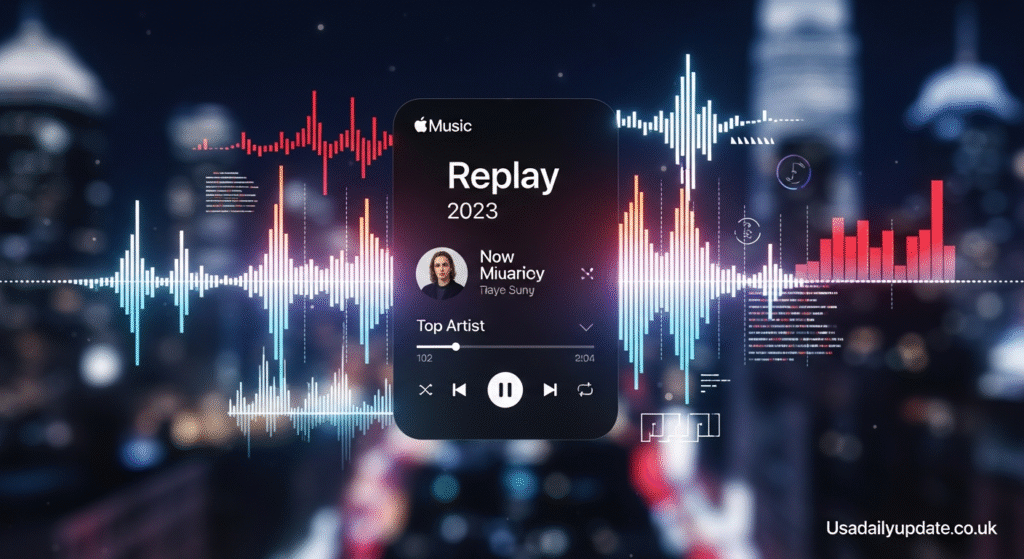
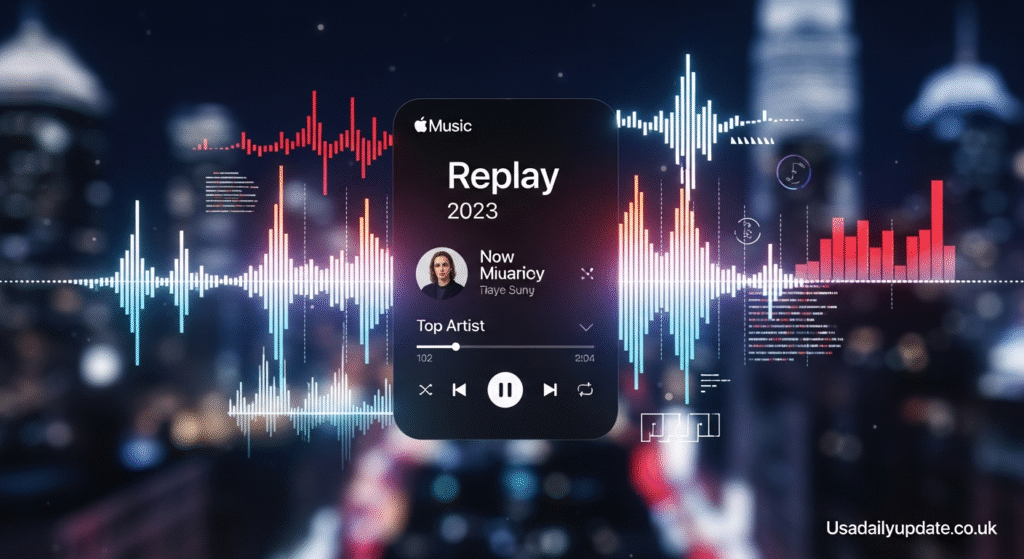
Apple Music Replay is a feature that tracks and displays your listening statistics throughout the year. It launched in 2019 as Apple’s response to Spotify Wrapped, which had dominated year-end music conversations on social media. While it started as a simple year-end summary, it has evolved significantly.
The feature compiles data about your listening habits into accessible playlists and visualizations. You get insights into which songs you played most, which artists dominated your listening time, and how your musical tastes evolved. This personalized summary creates a musical diary of sorts.
What makes Apple Music Replay special is its continuous availability. You don’t wait until December to see your stats. The system updates your data weekly, so you can check in anytime. This ongoing access lets you track trends as they develop rather than discovering them months later.
The feature works automatically for all Apple Music subscribers. You don’t need to opt in or activate anything special. As long as you’re listening to music through Apple Music, the system tracks your activity. This passive tracking makes it effortless to accumulate data over time.
Apple Music Replay goes beyond simple play counts. It considers how long you listened to songs, whether you completed tracks, and patterns in your listening behavior. This sophisticated tracking creates more accurate representations of your actual preferences versus songs you just happened to hear.
How to Access Your Apple Music Replay
Getting to your Apple Music Replay data is straightforward, though the process differs slightly across devices. Understanding each method ensures you can check your stats whenever curiosity strikes.
Accessing Through Web Browser
The easiest way to view Apple Music Replay is through a web browser. Simply visit replay.music.apple.com and sign in with your Apple ID. This web interface provides the most comprehensive view of your statistics.
Once logged in, you’ll see playlists for the current year and previous years if you’ve been subscribed. The interface displays your top songs, artists, albums, and other interesting stats. Everything appears in an attractive, easy-to-navigate layout.
The web version works on any device with a browser. You can access it from Windows computers, Android phones, or any platform with internet access. This cross-platform compatibility makes it universally accessible regardless of your device ecosystem.
Finding Replay in the Apple Music App
Within the Apple Music app, finding Replay requires knowing where to look. Open the app and navigate to the Listen Now tab. Scroll down until you see a section called Replay: Your Top Songs by Year.
Tap on this section to access your Replay playlists. You’ll find separate playlists for each year you’ve subscribed to Apple Music. Each playlist contains up to 100 of your most-played songs from that year, ordered by play count.
The app integration makes it easy to immediately start listening to your Replay playlist. You can shuffle it, add songs to other playlists, or share it with friends. This seamless integration keeps everything within your normal music workflow.
Using Siri for Quick Access
Voice commands offer the fastest way to start playing your Replay. Simply say “Hey Siri, play my Replay playlist” and it begins immediately. This hands-free option works great while driving or when your phone isn’t easily accessible.
Siri understands variations of the command. You can say “play my Apple Music Replay” or “play my top songs” and it figures out what you want. The voice assistant makes accessing your most-loved music effortless.
What Information Does Apple Music Replay Provide?
Apple Music Replay delivers various statistics and insights about your listening habits. Understanding what information is available helps you explore your musical year more thoroughly.
Top Songs Rankings
Your most-played songs appear in order from most to least played. The playlist typically includes your top 100 songs, though this can vary. Each song shows its ranking and the number of times you played it.
The play count helps you understand just how obsessed you were with certain tracks. Seeing that you played a song 247 times makes you realize the depth of your attachment. These numbers often surprise people who didn’t realize their listening patterns.
Songs appear based purely on play counts, not listening time. A 2-minute pop song played 50 times ranks higher than a 10-minute epic played 40 times. This methodology favors shorter, catchier tracks that encourage repeat listening.
Artist Statistics
Beyond individual songs, Apple Music Replay shows which artists dominated your year. This section reveals your most-played musicians, often with specific play counts or listening hours.
Artist rankings sometimes surprise users. You might discover you listened to an artist far more than you realized. Background listening during work or exercise adds up over months, revealing preferences you weren’t consciously aware of.
The artist section helps you discover patterns in your musical taste. Maybe you gravitated toward female vocalists, or perhaps indie artists dominated your listening. These insights reveal the underlying preferences driving your playlist choices.
Album and Genre Breakdowns
Your top albums appear in their own category. This shows whether you prefer listening to full albums or jumping between singles. Album lovers will see their favorite complete works ranked by play frequency.
Genre statistics reveal the musical diversity or consistency in your listening. You might lean heavily into one genre or spread your attention across many styles. This information helps you understand your musical identity better.
The genre breakdown can be eye-opening. You might consider yourself a rock fan but discover that hip-hop actually dominated your listening time. These revelations challenge your self-perception and reveal true listening patterns.
Listening Time and Milestones
Apple Music Replay includes total listening time statistics. You’ll see how many hours you spent listening to music throughout the year. For dedicated music lovers, this number can reach thousands of hours.
Milestone achievements celebrate significant listening accomplishments. These might include reaching 100 plays of a specific song or listening to music for 10,000 minutes. These gamification elements add fun to the statistics.
Historical Comparisons
One valuable feature is access to previous years’ Replay data. You can compare this year’s top songs to last year’s favorites. This temporal perspective shows how your musical taste evolves over time.
Seeing your 2019 top songs versus your current favorites reveals interesting patterns. Maybe you’ve moved from pop to indie rock, or perhaps certain artists have remained constant favorites. These longitudinal insights add depth to your musical self-understanding.
How Apple Music Replay Tracks Your Listening
Understanding the tracking methodology helps explain why certain songs appear in your Replay and others don’t. The system uses sophisticated algorithms to determine your true favorites.
What Counts as a Play
Not every second of listening counts equally. Apple Music uses minimum thresholds to determine whether a song was truly “played.” You need to listen to a significant portion of the track for it to register.
Generally, you must listen to at least 30 seconds of a song for it to count. Simply hitting play and immediately skipping doesn’t register. This prevents accidental plays or quick previews from skewing your statistics.
The system also considers whether you completed songs. Finishing a track signals stronger interest than abandoning it halfway through. This completion data helps distinguish genuine favorites from songs that merely appeared in playlists.
The Role of Downloads and Offline Listening
Downloaded songs played offline still count toward your Apple Music Replay statistics. The app stores listening data locally and syncs it when you reconnect to the internet. This ensures your offline listening contributes to your annual statistics.
This offline tracking matters for people who download music for flights, commutes through areas with poor service, or to save data. Your complete listening history gets captured regardless of connection status.
What Doesn’t Get Tracked
Certain listening activities don’t contribute to Apple Music Replay. Songs played through iTunes Match or files uploaded to your library without being part of Apple Music’s catalog typically don’t count. Only streams from Apple Music’s actual catalog register.
Music played through other apps or services obviously doesn’t appear. If you use Spotify, YouTube Music, or physical CDs, that listening lives outside Apple Music’s ecosystem. Your Replay only reflects activity within the Apple Music platform.
Brief sampling while browsing the catalog doesn’t significantly impact your stats. Those few seconds checking if a song is the right version won’t make it a top track. The algorithms filter out exploratory listening from genuine repeated plays.
Apple Music Replay vs Spotify Wrapped
Comparing Apple Music Replay to Spotify Wrapped reveals different approaches to year-end music summaries. Understanding these differences helps you appreciate what each service offers.
Timing and Availability
The most significant difference is timing. Spotify Wrapped arrives once annually in early December. It creates a social media event as millions share their results simultaneously. The limited-time nature generates excitement and conversation.
Apple Music Replay updates weekly throughout the year. This ongoing access means you can check your stats anytime. While it lacks the event-like atmosphere of Wrapped, it provides more consistent engagement with your data.
Some people prefer Spotify’s big reveal moment. Others appreciate being able to track their listening trends in real-time. Neither approach is inherently better; they serve different user preferences.
Presentation and Shareability
Spotify Wrapped excels at visual presentation. The shareable cards with colorful graphics and personality-driven descriptions are designed for social media. Each year brings creative new ways to present the data.
Apple Music Replay takes a more straightforward, data-focused approach. The presentation emphasizes numbers and rankings over creative storytelling. It provides the information clearly but with less visual flair.
This difference affects social media presence. Spotify Wrapped dominates Twitter, Instagram, and Facebook each December. Apple Music Replay generates less buzz because users access it at different times without synchronized social sharing.
Depth of Insights
Both services provide similar core data: top songs, artists, and genres. However, Spotify Wrapped often includes more quirky, personality-based insights. You might learn you’re in the top 1% of listeners for a specific artist or discover your “audio aura.”
Apple Music Replay sticks closer to pure statistics. You get accurate numbers and rankings without as much interpretive storytelling. This appeals to users who want straightforward data over entertainment value.
The tracking methodologies differ slightly between platforms. Each service has proprietary algorithms for determining favorites and calculating statistics. This means your top songs might differ between services even if you listened to the same music.
Tips to Make Your Apple Music Replay More Interesting
Want to see more accurate or interesting statistics in your Apple Music Replay? These tips help optimize your listening experience and the resulting data.
Listen Consistently Through Apple Music
The most obvious tip is using Apple Music as your primary streaming service. Splitting listening between multiple platforms dilutes your data. Committing fully to Apple Music gives you the most comprehensive Replay statistics.
If you currently use multiple services, consider consolidating. Having all your listening in one place creates a complete picture of your musical year. The unified data tells a better story than fragmented statistics.
Complete Songs You Enjoy
Finishing songs signals to the algorithm that you truly enjoy them. If you love a track, let it play through to the end. Skipping the last 30 seconds might affect how the system weights that play.
This doesn’t mean forcing yourself to finish songs you dislike. But for genuine favorites, completing them ensures they register properly. This habit improves the accuracy of your statistics over time.
Be Mindful of Background Listening
Music playing in the background while you work or sleep still counts. If you let playlists run while barely paying attention, those songs affect your statistics. Be aware that passive listening shapes your Replay results.
Some people prefer their Replay to reflect active listening only. If that’s you, pause music when you’re not really listening. Others embrace all listening as valid. Neither approach is wrong; it depends on what statistics you want.
Explore New Music
Your Replay becomes more interesting when you diversify your listening. Sticking to the same 20 songs creates a repetitive, predictable Replay. Exploring new artists and genres makes your year-end summary more dynamic.
Challenge yourself to discover new music regularly. Use Apple Music’s recommendation features, browse curated playlists, or follow music blogs. This exploration creates a richer musical year and more interesting statistics.
Don’t Game the System
Some people try manipulating their Replay by repeatedly playing certain songs they want to appear. This defeats the purpose of genuine statistics. Your Replay should reflect authentic listening, not manufactured preferences.
The most meaningful Replay honestly represents your year in music. Artificial inflation of certain tracks creates data that doesn’t truly represent your experience. Embrace whatever your genuine listening reveals, even if it includes guilty pleasures.
Common Issues and Troubleshooting
Sometimes Apple Music Replay doesn’t work as expected. Understanding common problems and solutions helps you access your statistics successfully.
Replay Not Showing Up
If you can’t find your Replay playlist, ensure you’re using an active Apple Music subscription. The feature only works for paying subscribers. Free trial users should have access, but those who canceled won’t.
Check that you’ve listened to enough music for the system to generate statistics. If you just signed up or rarely use the service, there might not be sufficient data. The system needs a baseline of listening activity to create meaningful Replay content.
Try accessing Replay through the web interface at replay.music.apple.com rather than the app. Sometimes the playlist appears on the website before showing up in the mobile app. The web version often provides the most reliable access.
Inaccurate Statistics
If your statistics seem wrong, consider whether other people use your Apple Music account. Family members listening through your subscription will affect your statistics. Their activity mixes with yours, distorting the data.
To maintain accurate personal statistics, each family member should have their own Apple ID and use Family Sharing. This keeps everyone’s listening data separate. Your Replay will then reflect only your actual listening habits.
Also consider whether you’ve been playing music through the correct app. Playing downloaded songs through the general Music app versus the Apple Music app might create discrepancies. Ensure you’re using Apple Music for streaming to guarantee proper tracking.
Missing Previous Years’ Data
Your Replay only includes years when you had an active Apple Music subscription. If you canceled for a year and then resubscribed, that gap won’t have data. The system can’t track listening that didn’t happen through the platform.
Previous years’ playlists should remain accessible indefinitely. If you can’t find an old year’s Replay, try the web interface. Sometimes historical data appears more reliably on replay.music.apple.com than in the mobile app.
Songs You Don’t Remember Playing
Discovering songs you don’t recall listening to can be jarring. This often happens when playlists or albums played while you weren’t paying attention. Background music during work or sleep accumulates plays without conscious awareness.
Another possibility is accidental plays. Pocket presses, children playing with your phone, or songs that auto-played after your chosen track ended all contribute to statistics. These unintentional plays are legitimate data even if they don’t reflect conscious choices.
Privacy Considerations with Apple Music Replay
Understanding how Apple handles your listening data helps you make informed decisions about privacy. Your musical preferences reveal personal information worth protecting.
What Data Apple Collects
Apple collects detailed information about your listening habits. This includes which songs you play, how long you listen, what you skip, and when you’re most active. This data enables Apple Music Replay and also improves recommendations.
The company uses this information to personalize your experience. Algorithms learn your preferences and suggest new music you might enjoy. The same data that creates your Replay also powers the “For You” section and custom radio stations.
Apple emphasizes that this data is associated with your Apple ID, not sold to third parties. The company’s business model relies on hardware and subscription sales rather than advertising. This reduces incentives to monetize your personal listening data.
Controlling Your Privacy
You can manage some aspects of listening data collection. In your iPhone settings, navigate to Privacy and then Analytics & Improvements. Here you can control whether Apple collects data about your usage patterns.
However, completely disabling data collection will affect Apple Music functionality. The recommendations, personalized playlists, and Replay features all depend on tracking your listening. You must balance privacy concerns with desired features.
Apple Music Replay data isn’t public by default. Only you can access your detailed statistics. When you share your Replay playlist with friends, they see the songs but not detailed play counts or other personal statistics unless you choose to share that information.
Sharing Your Replay
Sharing your Replay playlist with others is entirely optional. You control whether anyone else sees your listening habits. The playlist can be made public, shared with specific people, or kept completely private.
When you do share, consider what your music choices reveal about you. Musical preferences can indicate political leanings, emotional states, or personal interests. Think about whether you’re comfortable with others having this window into your life.
Social media sharing of Replay statistics is voluntary. Unlike Spotify’s more shareable card format, Apple Music Replay requires more intentional sharing. This lower social pressure might actually benefit privacy-conscious users.
The Future of Apple Music Replay
Apple continuously evolves its services. Understanding potential future developments helps set expectations for how Apple Music Replay might improve.
Potential Feature Additions
Users frequently request more detailed statistics. Information like listening time per artist, mood-based breakdowns, or decade-by-decade analysis would add depth. Apple could expand beyond basic play counts to richer analytical insights.
Enhanced sharing capabilities seem likely. Creating more visually appealing, social media-friendly summary cards would help Apple Music Replay compete with Spotify Wrapped’s viral nature. Better graphics and storytelling would increase engagement.
Integration with other Apple services could provide interesting possibilities. Imagine your Replay incorporating fitness data, showing which songs powered your workouts. Or Photos integration showing which songs you listened to during memorable moments captured in pictures.
Learning from Competitors
Apple watches what competitors do successfully. Spotify Wrapped’s social media dominance hasn’t gone unnoticed. Future iterations of Apple Music Replay might incorporate more shareable, personality-driven insights that encourage social posting.
Other platforms like YouTube Music and Amazon Music also offer year-end summaries. Apple can learn from various approaches and incorporate the best ideas. Healthy competition ultimately benefits users through improved features.
Voice Assistant Integration
As Siri becomes more sophisticated, voice interactions with Replay data could expand. Imagine asking “Hey Siri, what was my most-played song in June?” and receiving instant answers. Natural language queries about your listening habits could make data exploration more intuitive.
Voice-first experiences align with Apple’s ecosystem strategy. Making Replay more accessible through Siri, HomePod, and CarPlay would increase engagement. Hands-free access to your musical statistics fits modern usage patterns.
Making the Most of Your Musical Year
Apple Music Replay offers more than statistics. It provides opportunities for reflection, discovery, and deeper engagement with music. Here’s how to maximize its value.
Reflecting on Your Musical Journey
Your Replay tells a story about your year. Which songs helped you through tough times? What music soundtracked your happiest moments? Taking time to reflect on these connections adds meaning to the data.
Consider keeping a music journal based on your Replay. Note why certain songs resonated or what was happening when you discovered them. This practice transforms statistics into narrative, creating a richer personal history.
Share your discoveries with others. Discussing your top songs with friends reveals common ground and differences. These conversations can introduce you to new music and deepen relationships through shared musical experiences.
Discovering Patterns and Trends
Analyzing your Replay over multiple years reveals long-term patterns. Do you cycle between genres seasonally? Have your preferences shifted toward different sounds? Recognizing these trends helps you understand your evolving musical identity.
Look for surprises in your data. The artists and songs that appear unexpectedly often represent genuine discoveries worth exploring further. These outliers might indicate new directions your taste is taking.
Use your Replay to identify artists deserving deeper exploration. If an artist appears frequently but you’ve only heard their hits, dive into their full catalog. Your statistics reveal where you might find more music you’ll love.
Celebrating Your Favorites
Your Replay identifies the music that truly matters to you. Use this information intentionally. Create special occasions around your top songs or attend concerts by your most-played artists. Transform statistics into real-world experiences.
Support the artists you love most. Streaming generates some revenue, but buying merchandise, attending shows, or purchasing albums directly supports musicians. Your Replay helps identify who deserves your financial support.

Conclusion
Apple Music Replay transforms your listening activity into meaningful insights about your musical year. From top songs and favorite artists to genre breakdowns and listening milestones, it creates a comprehensive picture of your audio life. The feature updates weekly, making it more dynamic than once-a-year alternatives.
Understanding how to access your Replay across devices, what information it provides, and how the tracking works helps you get the most from this feature. Whether you’re comparing your stats to friends, discovering patterns in your preferences, or simply enjoying the nostalgia of your most-played songs, Apple Music Replay adds value to your subscription.
As you explore your Replay, remember that it reflects your authentic musical journey. The data reveals not just what you listened to, but moments, moods, and memories from your year. These statistics connect to real experiences and emotions.
What surprised you most about your Apple Music Replay? Did you discover unexpected favorites or realize how much certain songs meant to you? Share your most interesting findings and see how your musical year compares to others. Your playlist tells a unique story worth celebrating and sharing.
Frequently Asked Questions
When does Apple Music Replay update? Apple Music Replay updates weekly, typically every Sunday. Unlike Spotify Wrapped which arrives once annually in December, you can check your updated statistics throughout the year. This ongoing refresh lets you track listening trends in real-time rather than waiting for a year-end summary.
Can I access Apple Music Replay without a subscription? No, Apple Music Replay requires an active Apple Music subscription. The feature tracks streaming activity through the service, so only paying subscribers can access it. If you cancel your subscription, you’ll lose access to new Replay data, though previously generated playlists may remain visible.
Why are some of my favorite songs not in my Replay? Songs might not appear if you didn’t play them enough times through Apple Music specifically. Music from your personal library uploaded via iTunes Match or played through other apps won’t count. Additionally, very short listening sessions under 30 seconds don’t register as plays.
How many songs appear in Apple Music Replay? Apple Music Replay typically includes your top 100 songs for each year. This playlist ranks songs from most to least played based on your listening activity. The exact number might vary slightly, but 100 songs is the standard playlist length for comprehensive year coverage.
Can I share my Apple Music Replay with friends? Yes, you can share your Replay playlist just like any other Apple Music playlist. You can send the link through messaging apps or social media. However, the detailed statistics like play counts and listening hours remain private unless you choose to screenshot and share that information separately.
Does listening to downloaded music count toward Replay? Yes, songs downloaded for offline listening count toward your Apple Music Replay statistics. The app tracks offline plays and syncs the data when you reconnect to the internet. This ensures your complete listening history, whether online or offline, contributes to your annual statistics.
Why does my Replay show songs I don’t recognize? Unfamiliar songs might appear if others use your Apple Music account, if music auto-played after your chosen tracks, or if songs played in the background without your active attention. Accidental plays from pocket presses or children using your device also contribute to statistics.
How does Apple Music Replay compare to Spotify Wrapped? Apple Music Replay updates weekly year-round, while Spotify Wrapped arrives once in December. Spotify offers more creative visual presentations and shareable social media content. Apple Music Replay provides straightforward statistics with less emphasis on viral sharing. Both show top songs, artists, and genres with slightly different methodologies.
Can I see Apple Music Replay from previous years? Yes, Apple Music Replay maintains separate playlists for each year you’ve been subscribed. You can access previous years’ data through replay.music.apple.com or the Listen Now section in the app. This historical data lets you compare how your musical taste has evolved over time.
Does Apple Music Replay work on Android devices? Yes, Apple Music Replay works on Android through the Apple Music app and the web interface. Visit replay.music.apple.com from any browser on your Android device to view statistics. The experience is identical to iOS, showing the same data and playlists regardless of your device’s operating system.
Also Read Usadailyupdate.co.uk